-
Cost effective tetherless operation!
-
Can be added to any existing LocoNet system.
-
Radio range of approx 300-ft diameter circle.
-
Operates in the 900Mhz band.
-
Multiple LocoNet ID’s allow multiple clubs to operate
in close proximity at train shows.
-
Infrared throttles are an inexpensive way to have tetherless
control indoors.
-
IR throttles are equipped with powerful dual IR LED emitters
for transmission reliability.
-
Keyboard lock feature to prevent commands being sent by mistake.
-
Safety Selection for problem free operation.
-
Operations mode programming allows programming without plugging
in to LocoNet.
-
Radio Equipped & Infra-ready throttles will run on fully
charged NiCad batteries for approximately 6-8 hours and on
regular alkaline batteries for about 10-20 hours.
DT300R Radio Equipped Advanced Throttle A compact full featured
walkaround handheld. DT300 comes with infrared LEDs and you just
need to add a UR90 infrared receiver or a UR91 Universal IR/Radio
receiver for low cost tetherless operation. DT300 and DT300R are
not sold as part of a starter set.
DT400R Radio Equipped Super Throttle
Be careful what you ask for. . . it’s in
the DT400 Super Throttles! Simple to use with any Digitrax LocoNet
System including Zephyr! User Friendly Multi-line backlit display
with easy to read icons and messages - Dual throttle controls for
running two trains at a time - Click encoders give extra fine speed
control and direction control, too! - Full numeric keypad - the
list goes on and on...
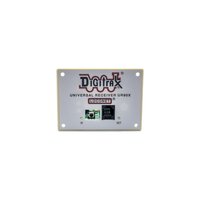
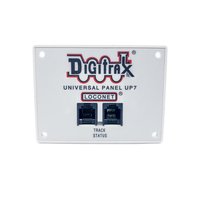
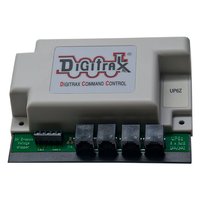
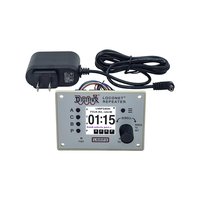
UR90 IR Receiver Unit The UR90 is an IR receiver unit. The UR90 also looks similar to a UP5 and is mounted in the fascia of the layout. The UR90 is simply an addition to your existing LocoNet so no additional wiring is needed. The UR90 will support approximately 10 Infra-Ready throttles (DT100, DT300 and DT400 series).
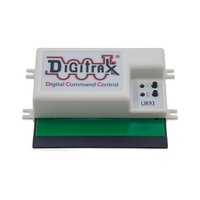
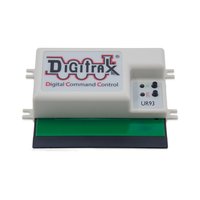
UR91 Radio Equipped/IR Receiver Unit
The UR91 is a radio/IR
receiver unit. The UR91 looks similar to a UP5 and is mounted in
the fascia of the layout. The UR91 is simply an addition to your
existing LocoNet so no additional wiring is needed. The antennas
are concealed under the layout. The UR91 will support approximately
10 radio throttles.
UT4R Radio Equipped Utility Throttle
Coming soon...!
Safety
Selection
While tetherless, the DT400/R & DT300/R operate as a one-way
transmitter. The DT400/R & DT300/R must be plugged into LocoNet
to select an available locomotive address. After an address is
selected on your DT400/R or DT300/R, you can unplug from LocoNet
and run the selected addresses with infrared or radio. The throttle
will automatically convert to infrared or radio operation for
all speed, direction, function, operations mode programming, and
switch commands. Digitrax calls this “safety selection.”
This is an important operational safety feature. Digitrax chose
not to allow one way address selection to prevent multiple operators
from being able to select and send commands to the same addresses
at the same time. Having multiple operators sending commands to
the same address can result in serious problems in an operating
session because locos can appear to be out of control.
Digitrax tetherless throttles must be plugged in to LocoNet to
program locomotives on the programming track and to set up and
break up consists. DT400/R and DT300/R can both be set up to prevent
release of loco addresses unless the throttle is plugged in to
LocoNet.
Can
I add Radio and IR to my Zephyr?
Adding radio and or IR to Zephyr is the same as adding it to
Super Empire Builder and Super Chief. Just add the DT400R or DT300R
& UR91 for radio operation. All Digitrax LocoNet Throttles
work with Zephyr.
Can I add Radio and IR to my Big Boy or Genesis system?
Adding radio and or IR to Big Boy or Genesis is the same as adding it to
Super Empire Builder and Super Chief. Just add the DT400R or DT300R & UR91
for radio operation. For
infra red operation, just add the DT400 or DT300 and one or
more UR90's.
Can I add Radio and IR to my Challenger system?
It's impossible to add radio and/or IR to the Challenger system because
the Challenger system was not LocoNet compatible.
|